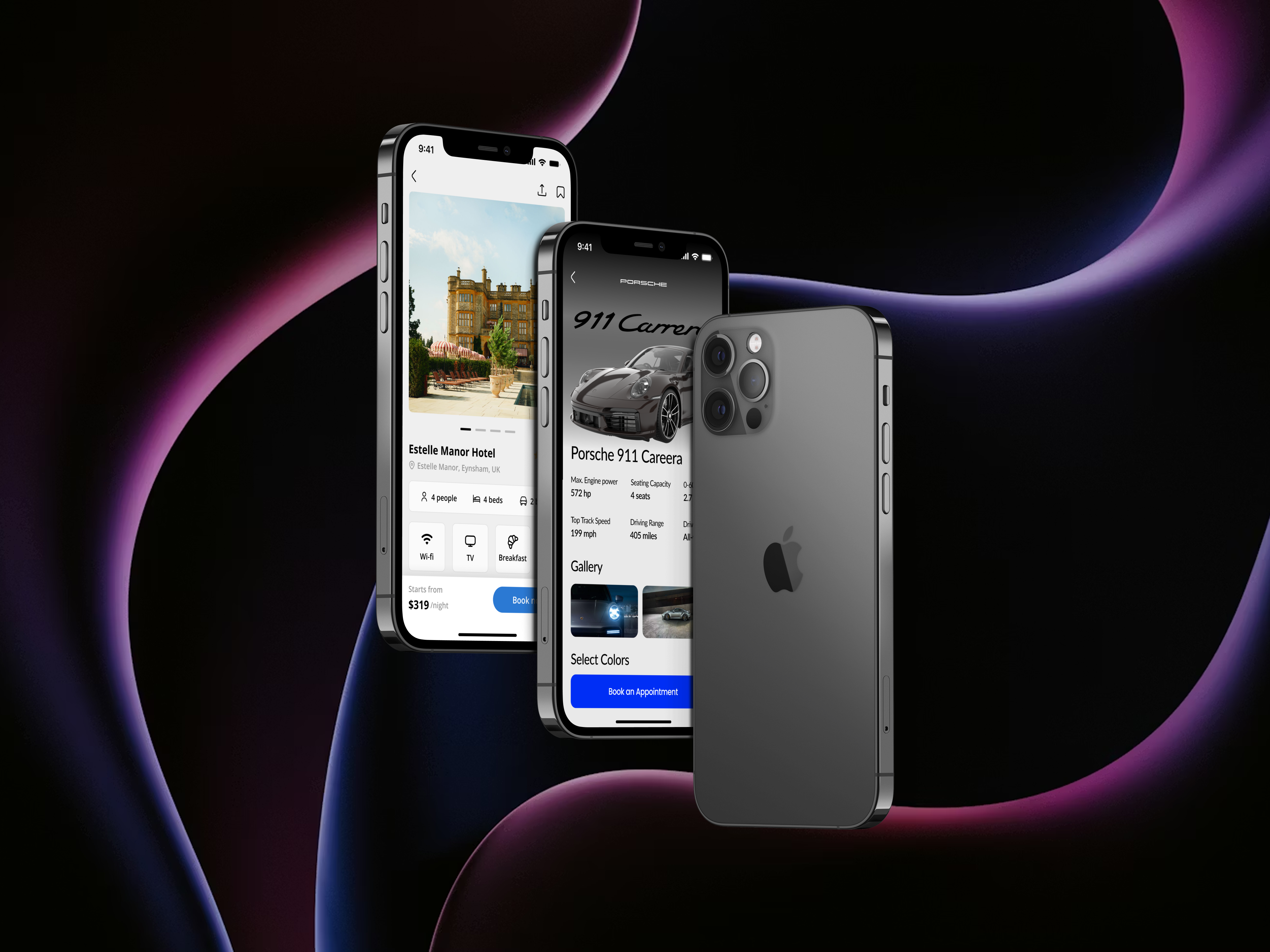
Day 1
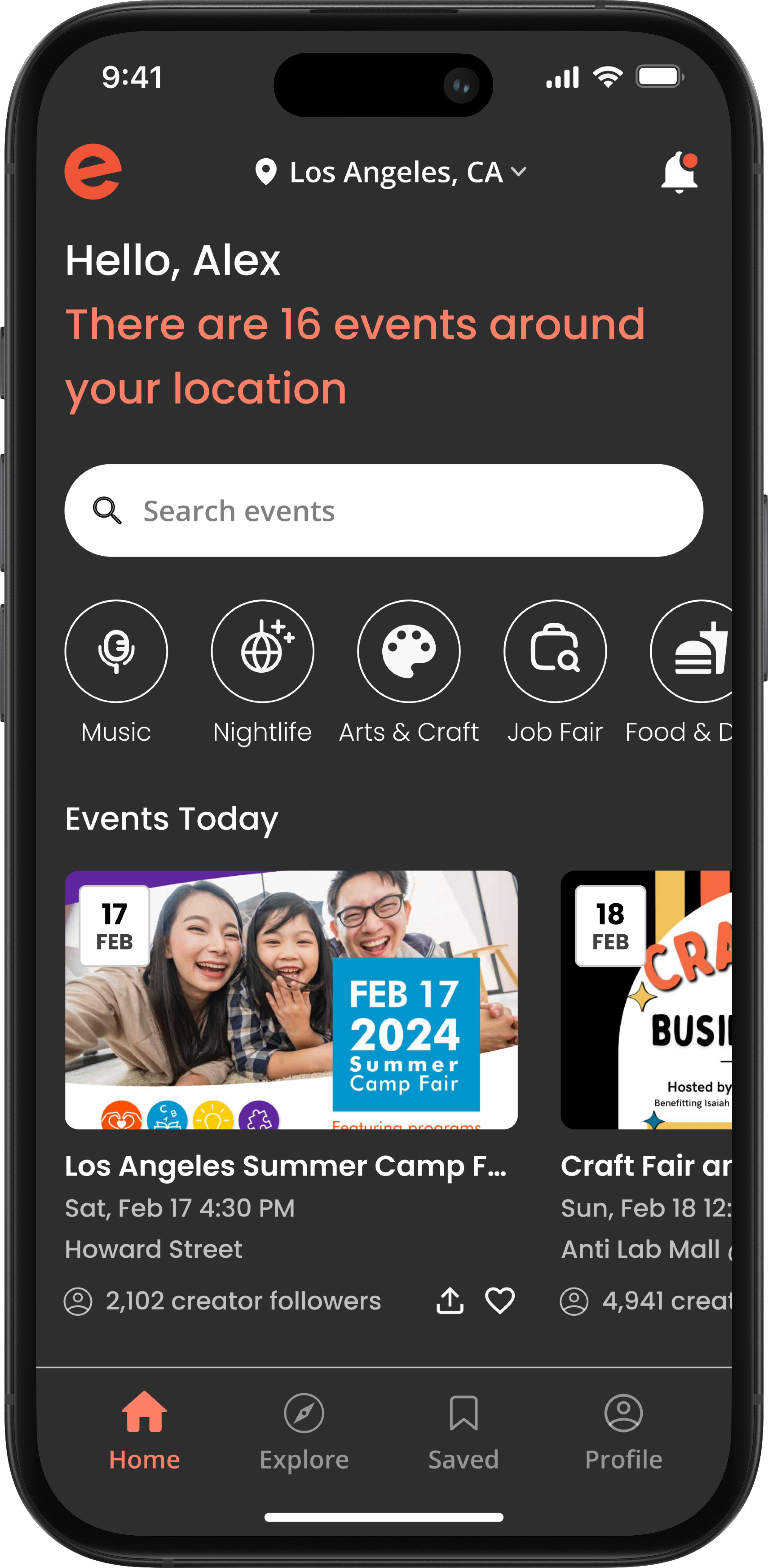
I reimagined the discovery flow with a dark-mode UI, focusing on location-based recommendations and quick-access category filters to help users find plans faster.
Day 2
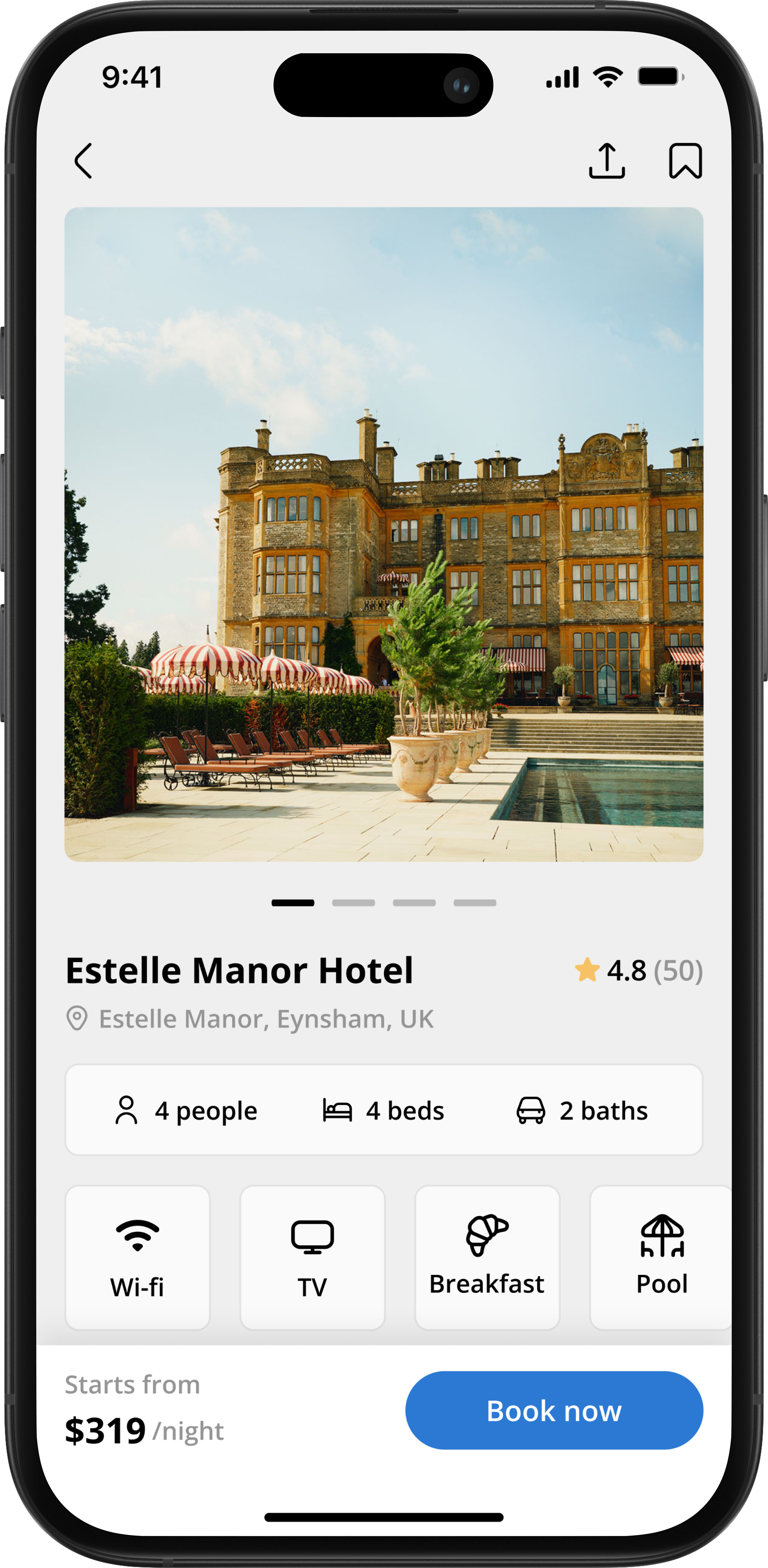
I designed a clean, grid-based interface that simplifies the booking decision. By using visual tags for room capacity and a sticky bottom bar for pricing, the design reduces friction between 'browsing' and 'booking.'
Day 3
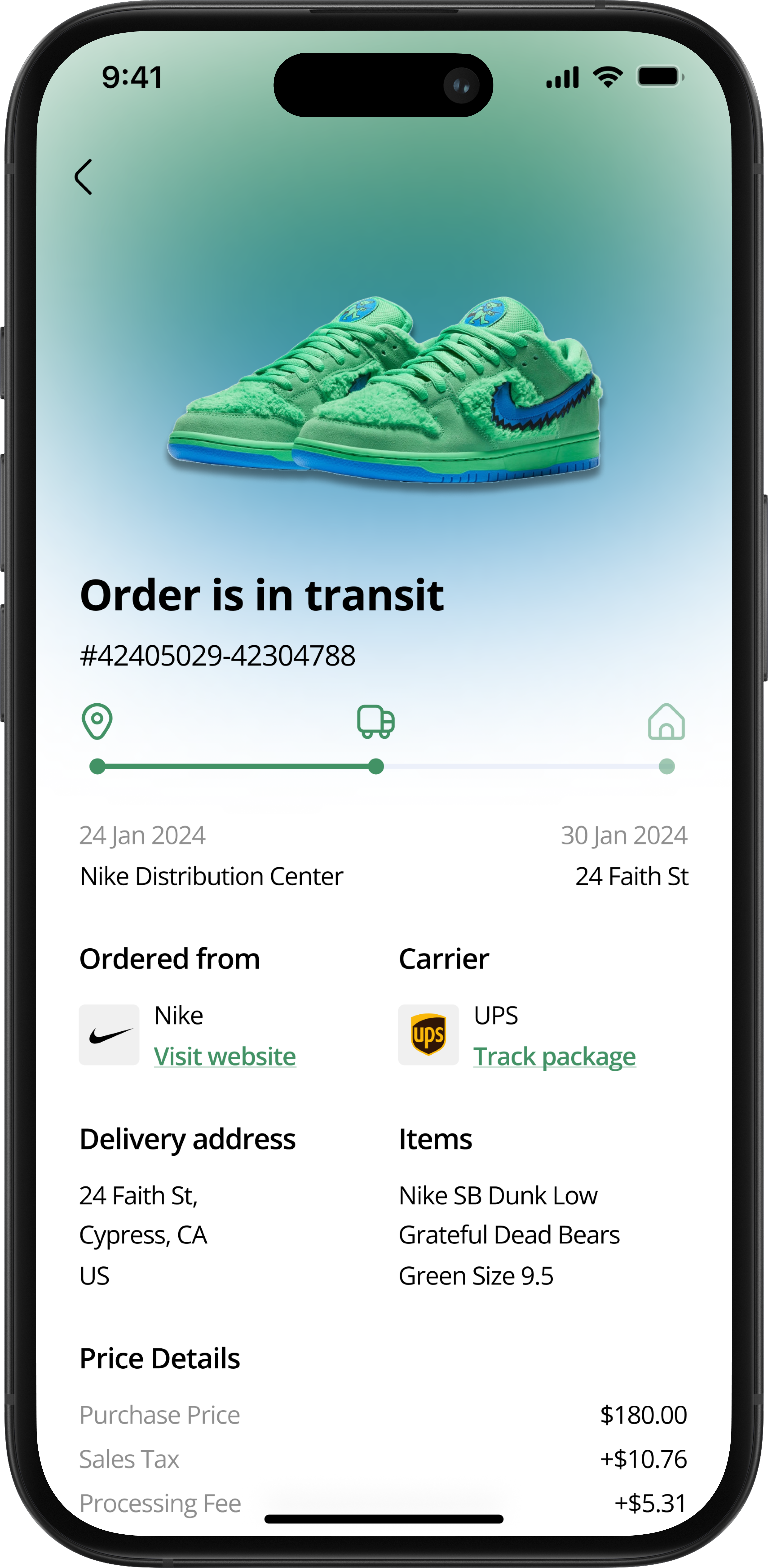
I designed a cohesive post-purchase screen that centers on a visual timeline for package status. By integrating carrier details and a full cost breakdown, the interface reduces the anxiety of 'Where is my order?'
Day 4
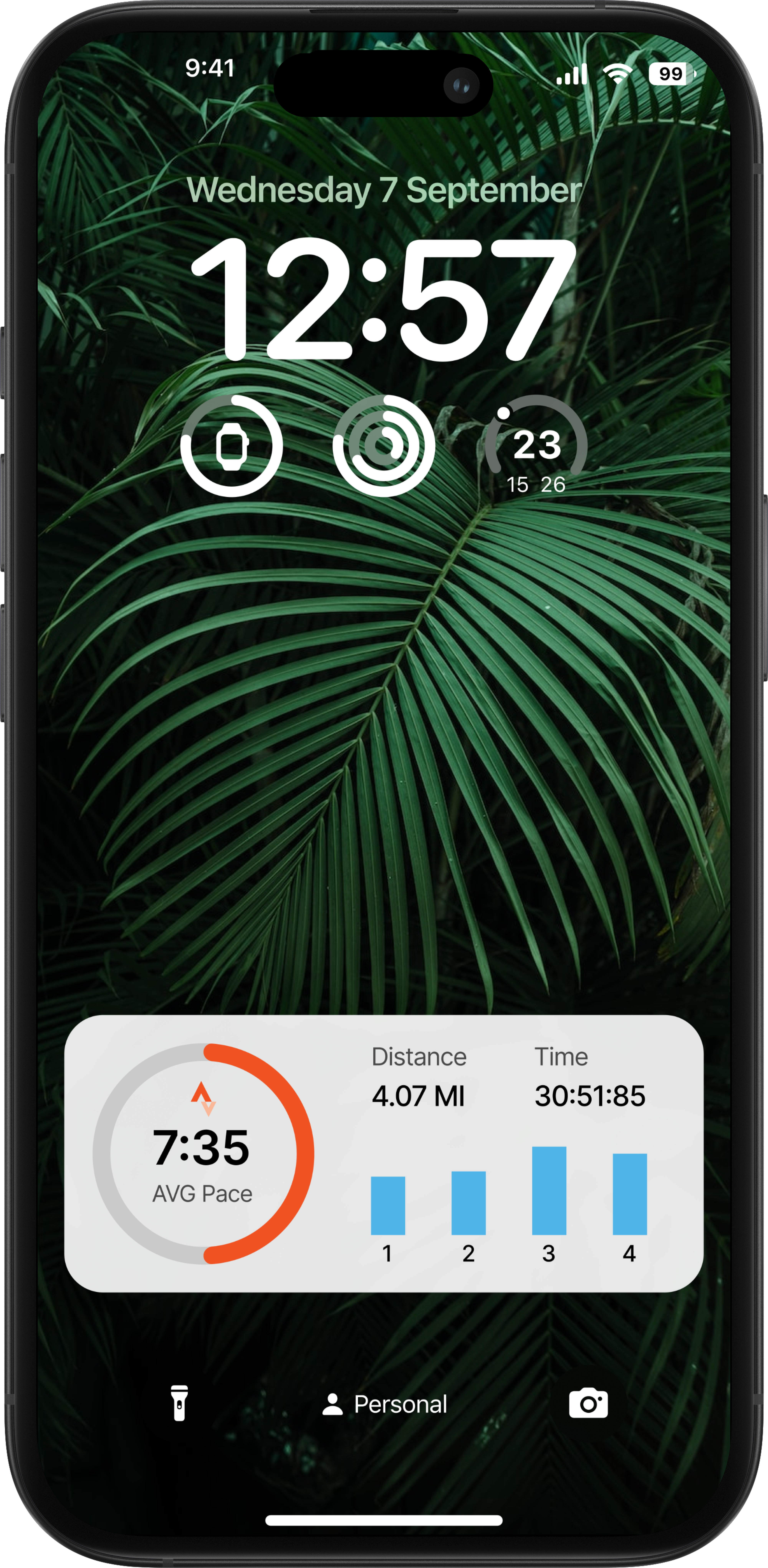
I designed a lock screen widget that prioritizes glanceability for runners. By using a visual progress ring for pace and a micro-chart for splits, users can track performance without breaking their stride to unlock their phone.
Day 5
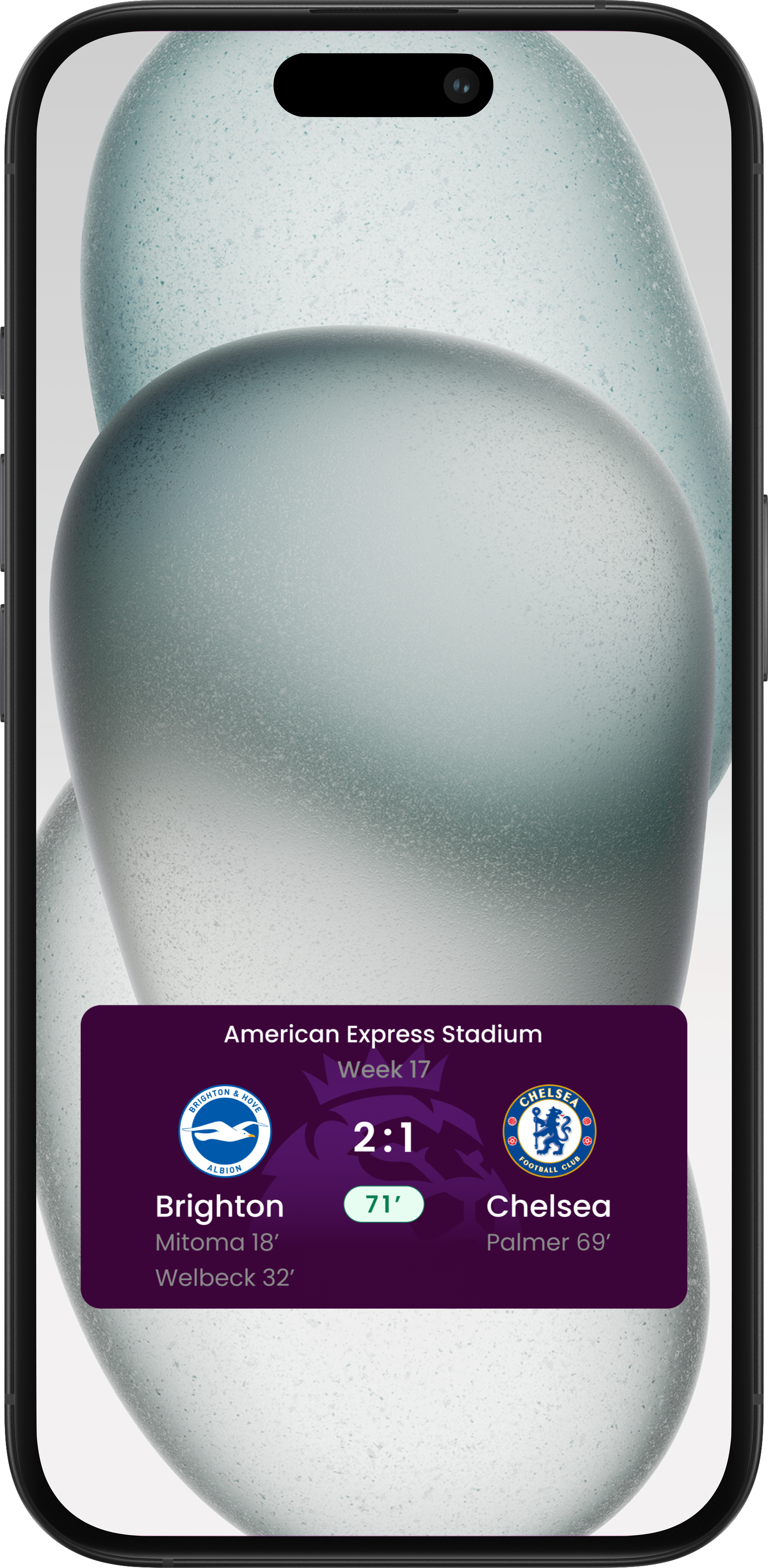
I designed a match tracker that prioritizes the live score and game time for instant readability. By layering secondary details like goal scorers below the team names, the design provides a complete match summary at a glance without clutter.
Day 6
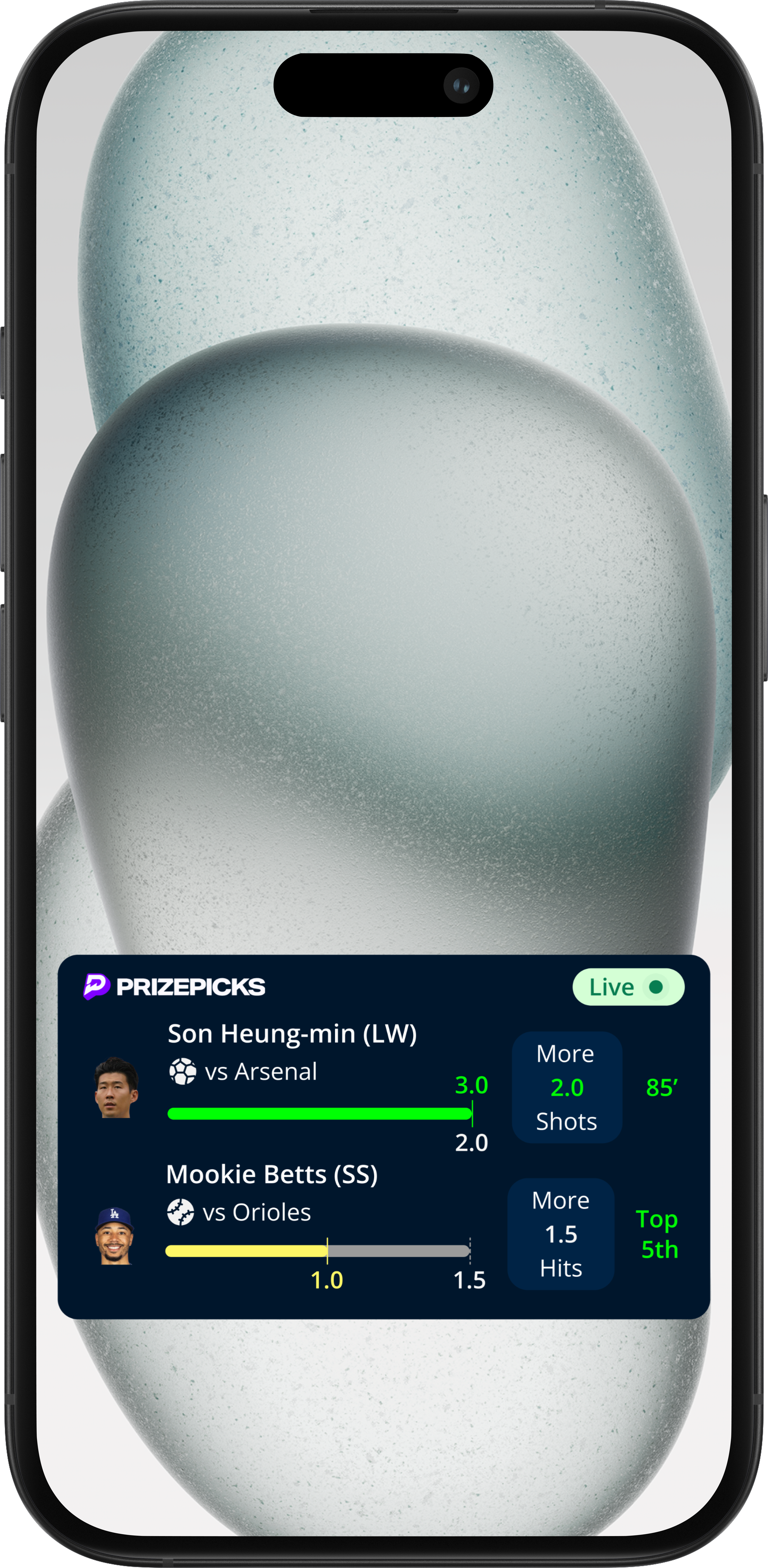
I designed a gamified widget for tracking player props. By using color-coded progress bars (Green for 'Hit', Yellow for 'Pending'), users can instantly gauge the success of their bets without analyzing the raw numbers.
Day 7
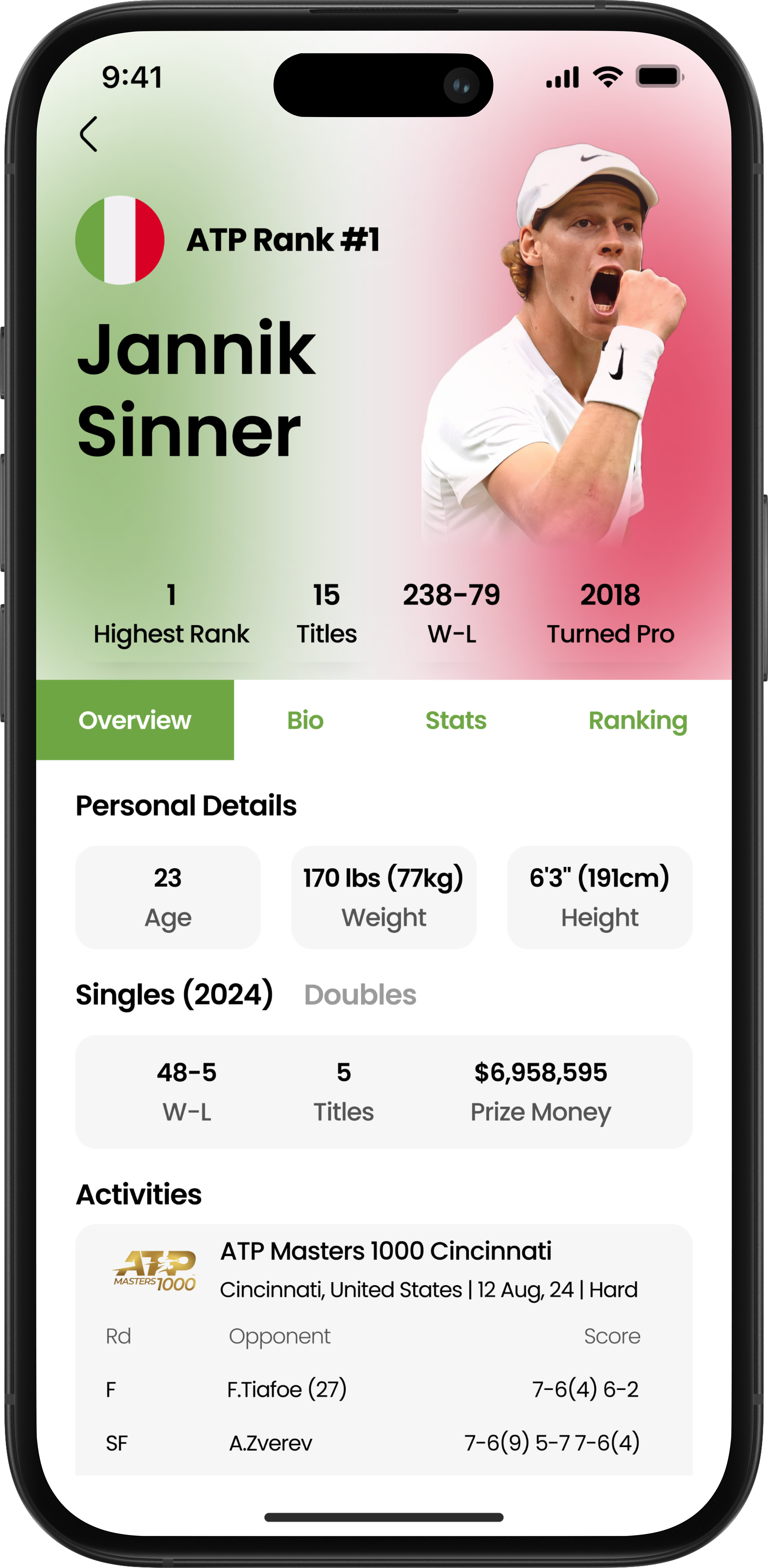
I designed a statistically rich profile page that prioritizes hierarchy. By using a national-flag gradient for visual identity and a tabbed system for data management, the design celebrates the athlete while keeping complex match stats organized.
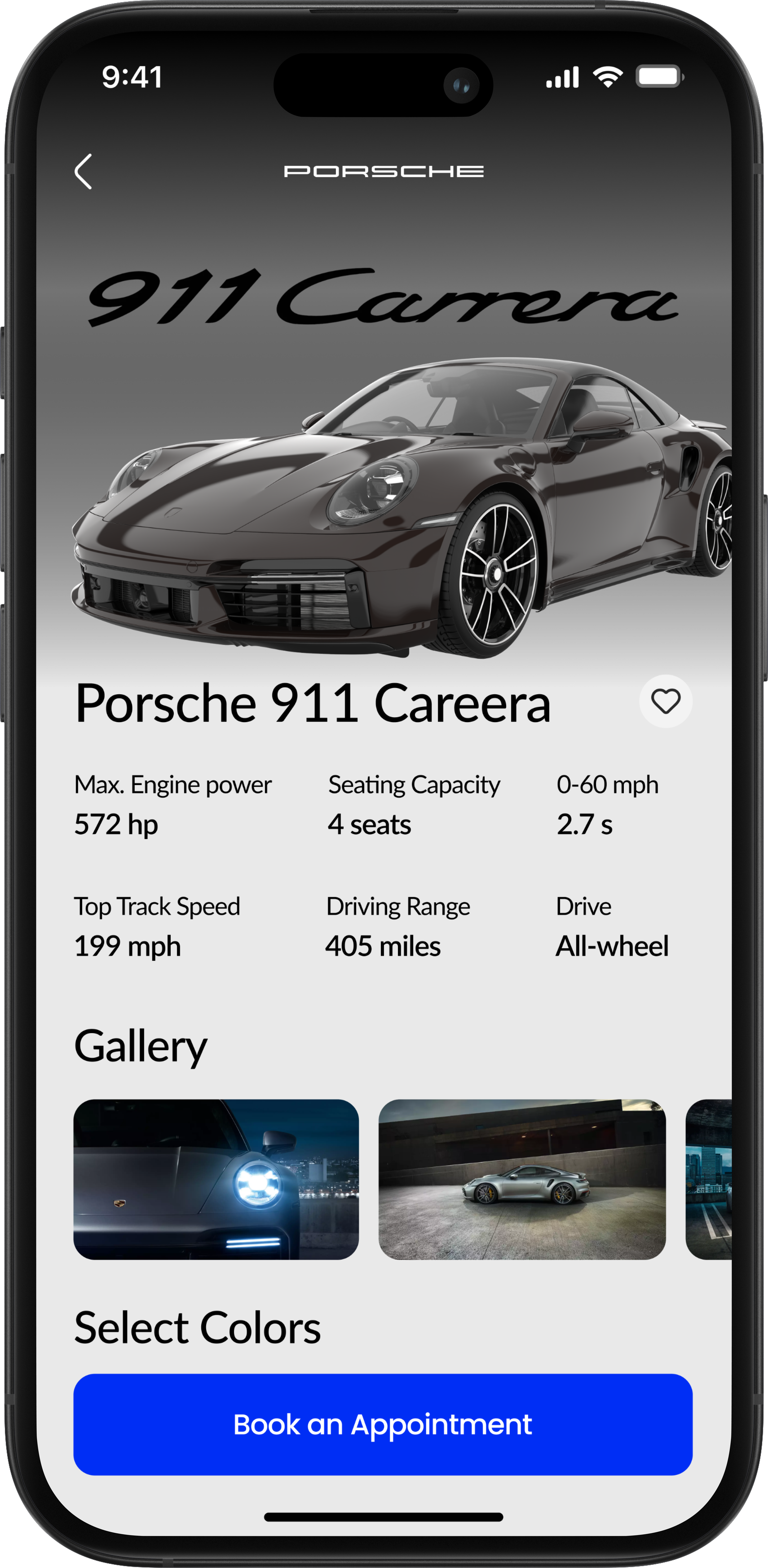
Day 8
I designed a premium product page that balances emotion and logic. By pairing an immersive hero image with a clean specification grid, the interface celebrates the car's beauty while clearly presenting the performance data buyers care about.
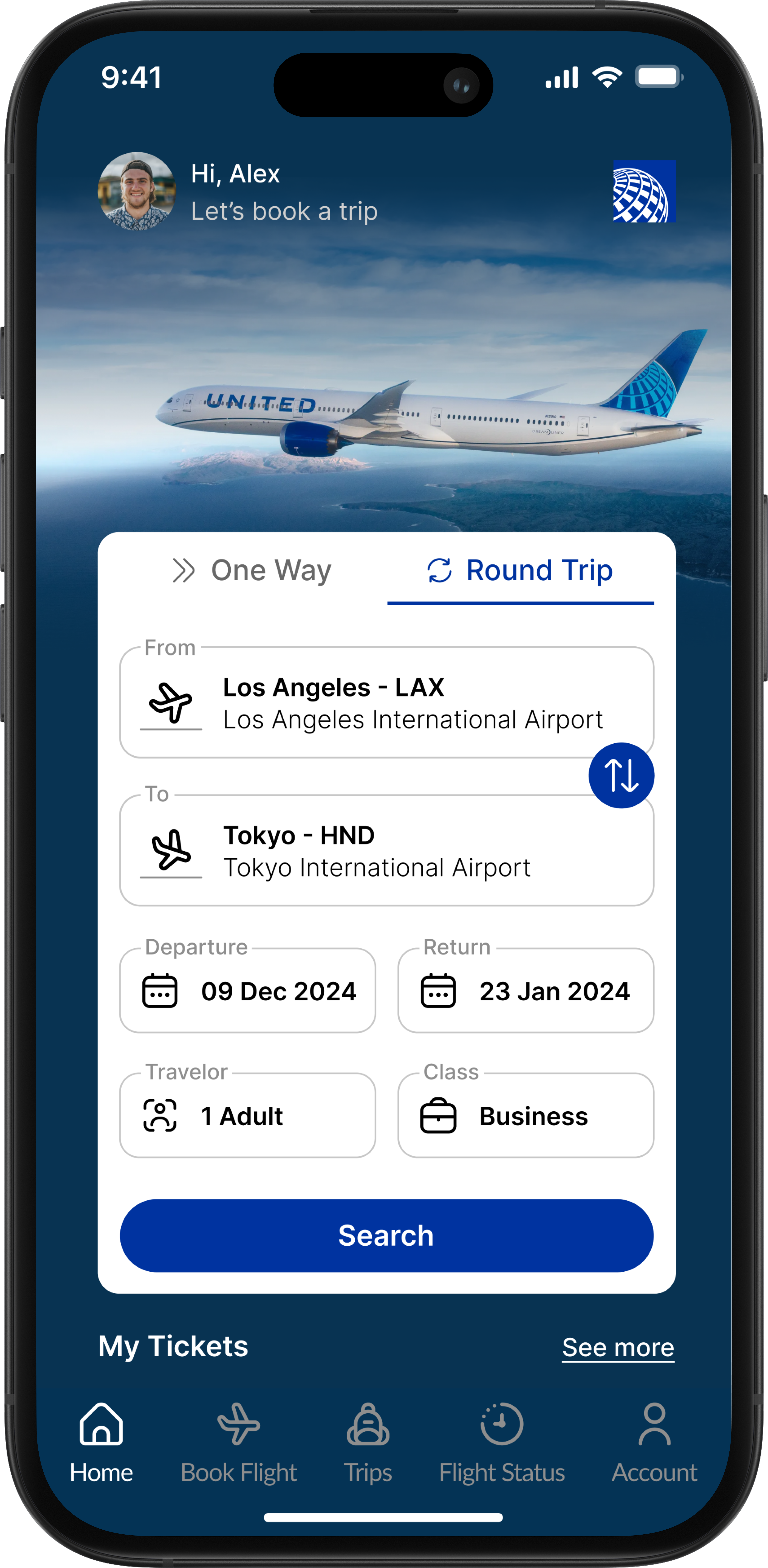
Day 9
I designed a modernized booking flow that uses a floating card system to organize complex travel data. By layering the form over an inspiring background and prioritizing airport codes with bold typography, the design makes starting a trip feel effortless.
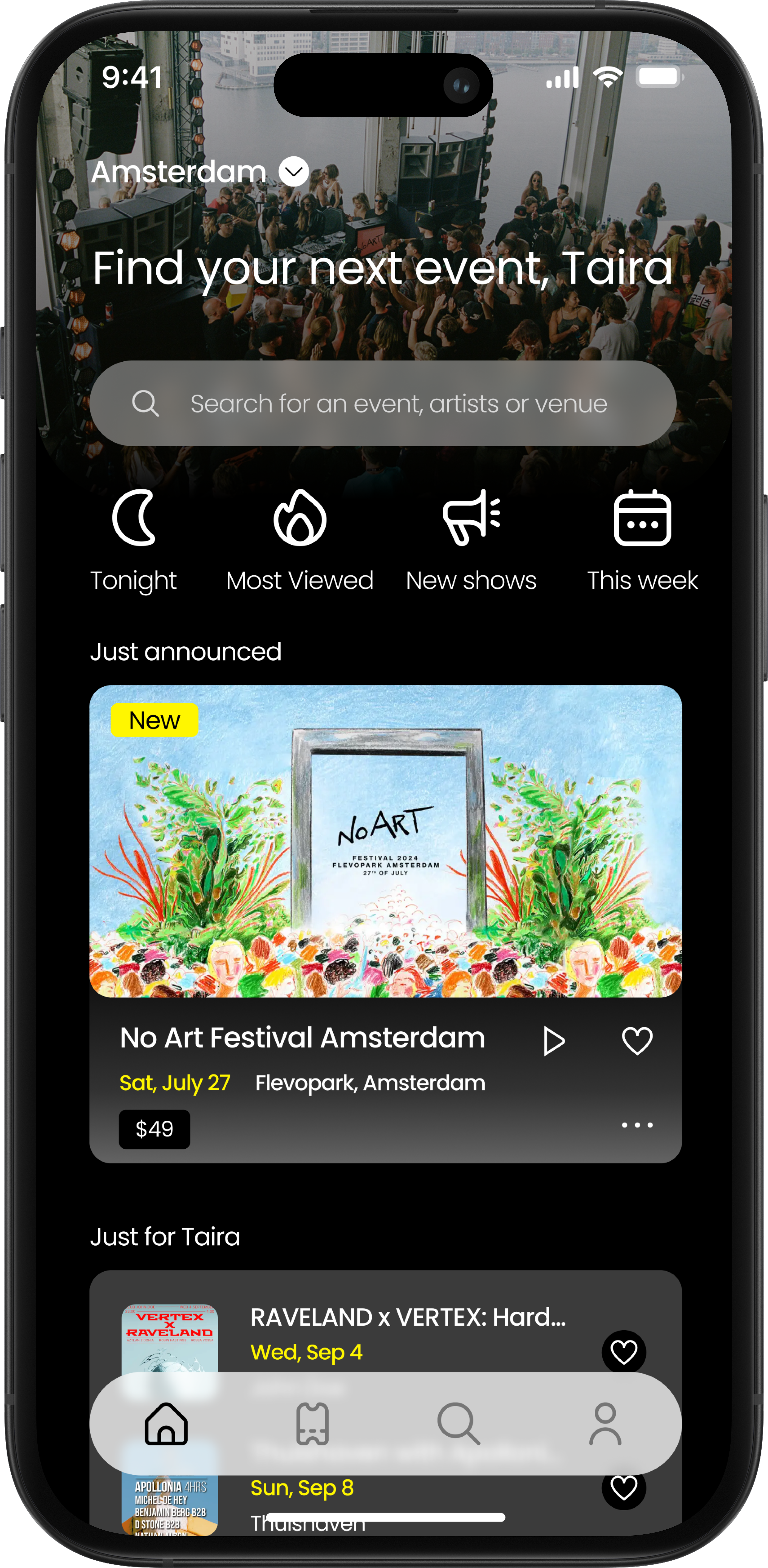
Day 10
I reimagined the Dice App event discovery experience with a focus on personalization. By introducing quick-filter categories and immersive, media-rich event cards, the design helps users find their next gig faster.
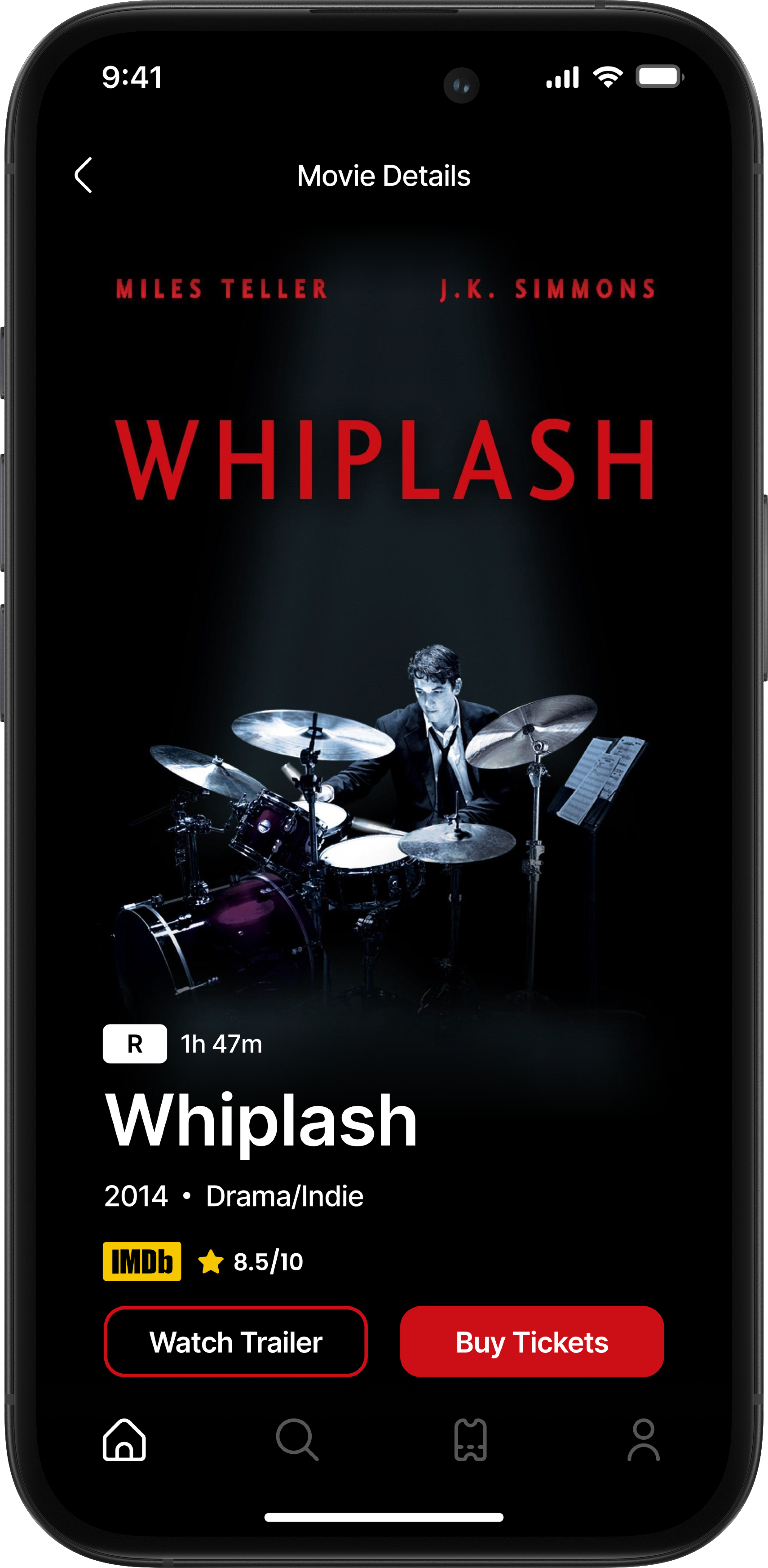
Day 11
I designed an immersive details page that prioritizes atmosphere. By blending the artwork into a deep dark mode and using high-contrast red accents for the 'Buy Tickets' CTA, the interface mimics the cinematic experience while driving conversion.
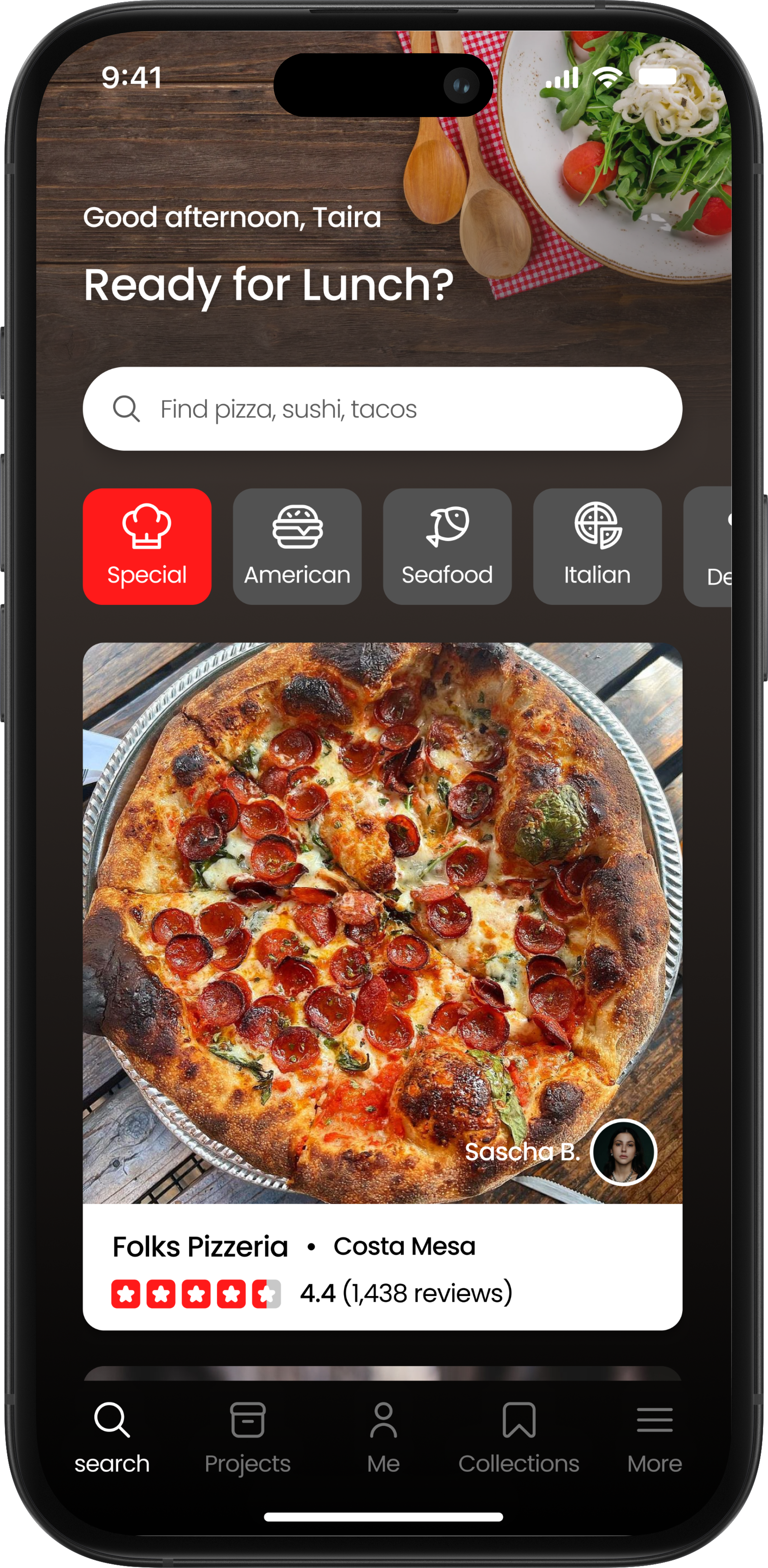
Day 12
I reimagined the Yelp app homepage into a context-aware dining assistant. By using time-based greetings ('Ready for Lunch?') and prioritizing large, appetite-inducing photography, the design shifts the experience from 'searching a directory' to 'discovering a meal.'